
Artificial Intelligence Market: How AI Is Reshaping Australia’s Business and Public Sectors
- Written by: Times Media
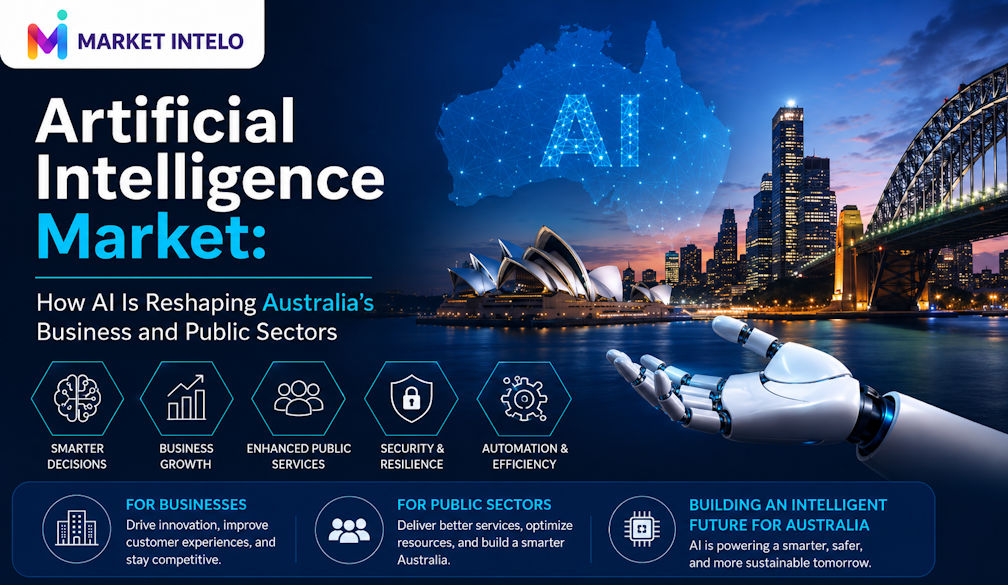
From unique trials, AI has grown into an influential actor in Australia’s economy and everyday life. In the entirety of Australia, its businesses and governmental organizations have become involved in using AI to improve their efficiency and make better decisions.
A market moving into the mainstream
In recent times, AI has transformed from a mere concept into something organisations in Australia use on daily basis. Contemporary cheap computing capabilities combined with the acceptance of the cloud along with user-friendly AI platforms have made it possible for businesses to start using intelligent software without hiring big data science experts. Artificial intelligence is now embedded in the following features:
- Customer service mechanisms that automatically respond to usual questions
- Analytic platforms that are responsible for predicting demand and evaluating risks
- Back office tools that facilitate record-keeping and reporting
After starting as a campaign of innovation, AI has quickly turned into an industry standard.
Regional dynamics in Australia’s AI market
While the degree of Artificial Intelligence application differs from one region to another, it is possible to follow some trends in the development of AI technologies in Australia.
Generally,
- New South Wales and Victoria lead the way in the area of AI applications as these regions have well-established technology-based services and a wide range of companies providing professional services.
- Likewise, Western Australia and Queensland witness the ongoing process of AI implementation into resource and power industries as far as predictive technology and automation in transport are concerned.
- On the contrary, there is almost no usage of AI technologies in South Australia and Tasmania, but it is believed that in a few years the companies in the regions will start employing AI technologies in many aspects of their business activity.
These markers of development imply that the AI technologies and methods are at different stages of implementation in various states but continue expanding.
By the end of 2025, the global Artificial Intelligence market is predicted to be $294.2 billion with an impressive growth rate of 35.7% that would make it to $4,287.6 billion by the end of 2034. Such stunning growth highlights the fact that business practices are changing in all industries as companies increase their reliance on digital transformation initiatives and intelligent automation solutions.
The AI market in Australia is growing very quickly. According to market studies done by organizations like MarketIntelo, the market is set to grow for many years because companies have invested heavily into AI tools which are used by companies in a wide variety of industries, including finance, health care and manufacturing among others.
How business is using AI
All over Australia, multiple industries are utilising AI technologies in their operations, from financial services to manufacturing, retail and beyond.
Popular use cases include:
- Intelligent customer service: Virtual assistants and automated chat technology make service available 24/7, reduce waiting time and free human agents from simple queries.
- Intelligent marketing: AI technologies allow marketers to segment their audience and customise messaging, along with optimising advertising campaigns based on the performance and effectiveness of these campaigns.
- Operational efficiency: Predictive technologies allow companies to manage their inventory, coordinate their maintenance efforts and optimise their supply chain.
- Automated administration: Routine clerical work such as bookkeeping, compliance and documentation is being taken care of by AI, allowing human agents to focus on more important tasks.
For many companies, AI is already a vital part of their business structure just like accounting software and cloud storage.
A new advantage for small and regional businesses
The advent of artificial intelligence has also brought about a revolution in the economics of small to medium enterprises. Subscription-related tools are enabling small businesses the following:
- To formulate niche marketing strategies
- To analyse customer and sales trend
- To respond to commonly asked queries automatically
To simplify invoicing, inventory management, and reporting processes. Since these tools are made available through the internet, regionally based business can now match what is available in big cities. A small team or single founder could increase their output and cater to customers from anywhere in Australia.
AI in the public sector
Australian government organizations utilize AI to advance the processes of public service design and delivery. Among the AI applications employed are:
- Document management: AI is used to monitor incoming different documents and arrange them for appropriate departments.
- Fraud and risk detecting: Algorithms will process transactions faster than humans.
- Policy and planning support: the systems will allow establishing meaningful relationships among reports and information while producing documents.
- Early warning systems: programs help in predicting different types of natural and environmental disasters.
The usage of these machines is a way of making services faster and more reliable, but it brings some challenges in transparency, fairness, and accountability.
Strategy, regulation and ethics
With the increasing demand for AI, it has now been accepted as a strategic technology that will ensure Australia’s competitiveness for years to come. Plans and strategies aimed at ensuring the country’s adoption of AI technology include:
- Development of local AI capabilities and raising investments
- Encouragement of the use of AI technologies across various sectors and territories
- Assistance to employees in acquiring new qualifications and adjusting to evolving job requirements
- Ensuring the ethical and legal use of AI
Most of current regulations aimed at monitoring the use of AI tools have been developed on the basis of existing regulations concerning privacy, data protection, consumer rights and anti-discrimination laws. In addition to that, voluntary ethical codes have been adopted with the aim of making companies pay attention to such issues as bias, explainability and human control.
The main question remains the issue of how to ensure that innovations in the AI field do not undermine public trust in the use of this technology.
Jobs, skills and the changing nature of work
AI is changing the dynamics of employment in Australia, but the consequences of this technology are not limited to simple scenarios of loss of jobs. While certain low-level jobs which entail repetitive actions are disappearing as they can now be automated, there are also new professions that are emerging, including:
- Implementation of AI technologies into workflow
- Data analysis and monitoring of AI models
- Establishing directions related to governance, compliance and ethics regarding intelligent systems.
The conventional professions being affected is evident i.e. lawyers now being able to grasp the details quicker because of the use of AI technology, accountants utilizing automated accountancy, teachers taking advantage of AI for preparation of teaching materials, and doctors using AI besides relying upon their clinical experience.
Public expectations and trust
Australians are becoming more cognizant of the role AI plays in everyday life; be it communicating with a chatbot, applying for services or accepting an offer. However, this awareness is accompanied by worry.
People wish to know:
- • How their data is sourced and handled
- • Whether a human is able to contest automated decisions
- • How companies avoid biases and discrimination
Companies and agencies that provide clear explanations and ensure human oversight of AI processes will gain trust.
Looking ahead: AI as infrastructure
When viewed together, these developments indicate that artificial intelligence is becoming an essential part of the Australian economy and society; similar to what has occurred with both the internet and mobile devices over the past decades.
From the point of view of businesses, the introduction of AI will lead to increased efficiency and effectiveness when dealing with customers and allow them to gain entry to new markets. As far as the public sector is concerned, some new approaches in this field will result in the delivery of more effective services and the improved rational use of information in developing policies. For the communities, AI may become a tool allowing to overcome distance barriers and create new opportunities provided that the risks involved are managed well and the advantages are shared.
What will determine whether AI is a source of prosperity for everyone or a source of greater inequalities is how Australia formulates its strategy regarding this field in the future. The choices made by companies and governments today will provide basis for the new story about AI in Australia in future
Reference: https://marketintelo.com/report/artificial-intelligence-market
Author Bio -
Ashish Kolte is a Marketing Manager at MarketIntelo with expertise in marketing, market intelligence, and business strategy. He combines marketing insights with industry research to analyze market trends, identify growth opportunities, and provide data-driven perspectives on emerging industries and global business developments.
LinkedIn: https://www.linkedin.com/in/ashishkolte/