


How to Protect Your Garden Trees from Wind Damage in Australia
- Written by: The Times
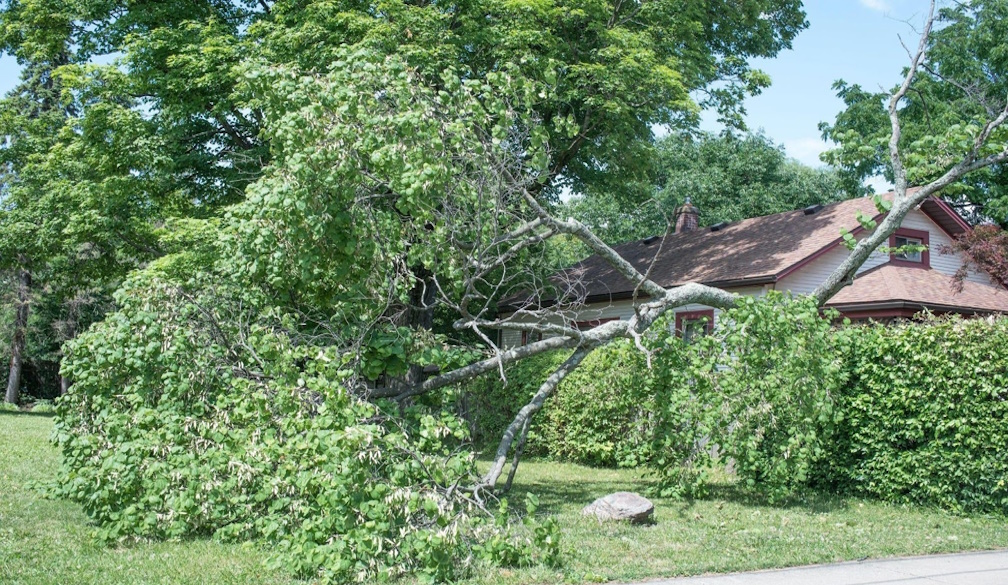
In Australia's expansive landscape, garden trees hold noteworthy significance. They not only enhance the aesthetic appeal of our homes but also play an integral role in the local ecosystem. Yet, these beautiful additions to our gardens are often vulnerable to the whims of nature, mainly the fierce winds that have been increasingly battering the continent. The rise in strong wind events has been attributed to climate change, adding another layer of complexity to tree care and management.
Safeguarding trees against wind damage is paramount for maintaining their health and longevity. With a little knowledge and effort, wind-susceptible trees can be fortified to withstand gale-force winds. This article explores various methods and strategies to protect garden trees from wind damage, ensuring they continue to flourish despite the challenges posed by nature.
Understanding the Impact of Wind on Trees
Wind can exert significant physical and physiological stress on trees, manifesting in several ways. In Australia, the most common types of wind damage include snapping, uprooting, and branch breakage. These are not random events but are often the result of specific wind dynamics. The direction and speed of wind play critical roles in determining the severity of damage a tree might endure.
Severe storms can amplify these risks, leading to widespread tree damage in affected areas. How storms damage trees varies depending on soil stability, tree species, and overall health. For example, saturated soil from heavy rains can weaken root anchorage, making trees more susceptible to toppling. High winds can also exploit existing weaknesses, such as decay or structural imbalances, causing branches or entire trees to break.
Understanding local weather patterns is crucial in assessing the potential impact on trees. Regularly monitoring wind conditions can provide valuable insights into how certain weather patterns may affect tree health. By doing so, gardeners can anticipate potential issues and take appropriate action to protect their trees.
Choosing the Right Trees for Windy Areas
Selecting the right species is a fundamental step in creating a wind-resistant garden. Trees that are naturally resistant to wind should be considered, as they are better equipped to handle the dynamic Australian climate. Key characteristics to look out for include height, root structure, and flexibility. These factors influence a tree's ability to endure high winds without sustaining significant damage.
When sourcing young trees, focusing on those with a robust root system and flexible structure is essential, as these traits enhance their wind resistance potential. Some species recommended for windy conditions across different regions of Australia include the Norfolk Island Pine, Wallum Banksia, and the Coastal Tea Tree. These trees are known for their resilience and adaptability, making them excellent candidates for gardens exposed to frequent wind.
Strategic Tree Placement and Garden Design
The location of trees within a garden can have a substantial impact on their vulnerability to wind damage. Careful site selection is vital to minimise wind exposure. Strategically placing trees in sheltered locations or in areas where natural windbreaks exist can significantly reduce wind impact.
Another effective strategy is to incorporate landscaping techniques to create additional windbreaks. Hedges, fences, or even strategically placed garden structures can redirect wind flow away from vulnerable trees. Furthermore, garden design can influence wind flow patterns. For instance, designing gardens with trees of varying heights and densities can create a buffer, reducing the wind's force on individual trees. Examples of garden designs that effectively reduce wind damage often incorporate elements like tiered plantings and staggered rows of trees.
Strengthening and Supporting Existing Trees
Strengthening and supporting trees already established in a garden becomes a priority. Pruning trees to encourage a robust structure can significantly enhance their wind resistance. Removing weak branches or those with a poor connection to the trunk can prevent breakage during strong winds.
Tree supports, like stakes and guy lines, offer additional stability, especially for young or vulnerable trees. Regular tree health assessments are vital for identifying weak spots, allowing for timely interventions. Engaging professional arborists can be beneficial, as they bring advanced support techniques and expertise, ensuring trees are well-prepared for any windy onslaught.
Maintenance Practices to Enhance Tree Resilience
Regular maintenance is pivotal in enhancing a tree's resilience to wind damage. Consistent watering and attention to soil health are essential for maintaining a healthy root system. Well-nourished roots anchor trees more effectively, reducing the likelihood of uprooting during storms.
Seasonal inspections should be conducted to detect and remove damaged branches promptly. This practice reduces the risk of wind damage and prevents the spread of pests and diseases that can weaken a tree's integrity. Mulching is another beneficial practice, conserving soil moisture and maintaining nutrient levels critical for tree health. Additionally, preventing infestations through vigilant monitoring and prompt action strengthens trees, ensuring they remain robust against external pressures.
Conclusion
Protecting garden trees from wind damage in Australia requires a multifaceted approach, one that incorporates careful selection, strategic placement, and regular maintenance. By proactively implementing these strategies, gardeners preserve the health and beauty of their trees and contribute to the environmental balance and visual appeal of their landscapes.
The long-term benefits of protecting trees extend beyond individual gardens. Trees provide habitat, improve air quality, and enhance biodiversity, making their preservation a matter of considerable importance. It's time to act and adopt these protective measures, ensuring that garden trees stand tall and resilient, even when faced with the relentless force of the wind.