

Hybrid Vehicles: What Is a Hybrid, an EV and a Plug-In Hybrid?
- Written by: The Times
Australia’s car market is changing faster than at any point since the decline of the local Holden and Ford manufacturing industry. Once, buyers chose between petrol or diesel. Today the choices include hybrids, plug-in hybrids and fully electric vehicles, each promoted as the future of motoring.
For many Australians, however, the terminology remains confusing.
What exactly is a hybrid? What is an EV? What is a plug-in hybrid? Which one suits different types of drivers? Are electric vehicles actually cheaper to own? What happens with resale value and warranties? And can Australia’s charging infrastructure support a nation increasingly dependent on electricity instead of petrol?
The answers are more complicated than advertising slogans suggest.
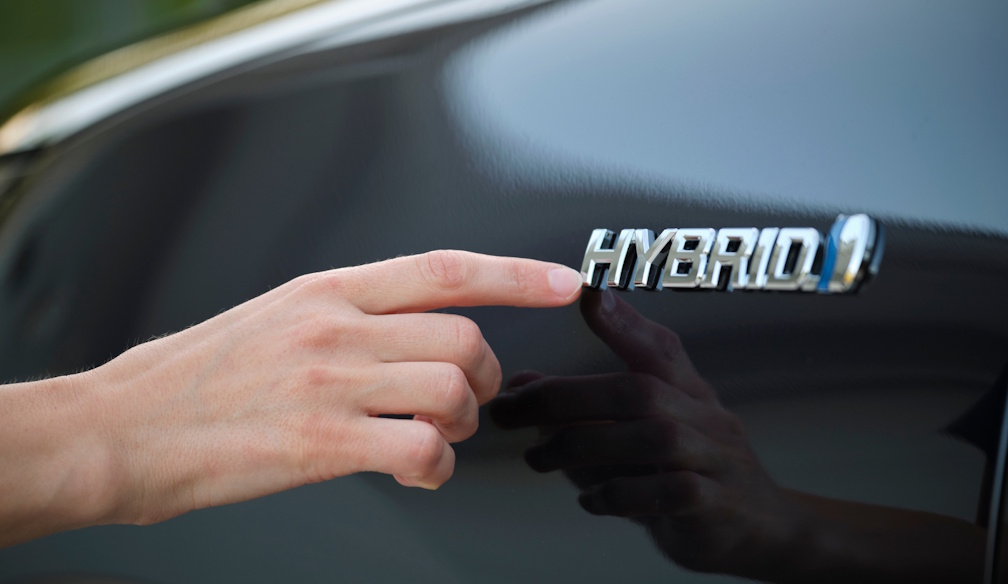
A standard hybrid vehicle combines a petrol engine with a battery and electric motor. Unlike a full electric vehicle, the battery is charged automatically while driving through regenerative braking and engine operation.
The driver does not plug the vehicle into a charging station.
Toyota helped popularise hybrid technology globally through vehicles such as the Prius, Corolla Hybrid, Camry Hybrid and RAV4 Hybrid. Hybrid systems are now common across multiple brands including Hyundai, Kia, Honda, Nissan and Chinese manufacturers entering the Australian market.
A hybrid vehicle generally drives like a normal petrol car. The electric motor assists the petrol engine during acceleration and low-speed driving, reducing fuel consumption and emissions.
For many Australians, hybrids are viewed as the least disruptive transition away from traditional petrol vehicles because they do not require home charging equipment or charging station planning.
A fully electric vehicle, often called an EV or BEV (battery electric vehicle), operates entirely on electricity.
There is no petrol engine.
Vehicles such as the Tesla Model Y, BYD Seal, Kia EV6 and Hyundai Ioniq 5 rely solely on battery power and must be charged either at home or at public charging stations.
Electric vehicles are typically quieter, faster off the mark and cheaper to run per kilometre than petrol vehicles. They also have fewer moving parts, meaning maintenance costs can be lower. Some estimates suggest EV owners can save up to 70 per cent on fuel costs and significantly reduce servicing expenses compared with petrol vehicles.
A plug-in hybrid, or PHEV, sits somewhere between the two.
A PHEV has both a petrol engine and a larger battery that can be charged externally. Unlike a normal hybrid, a plug-in hybrid may travel meaningful distances — sometimes 50 to 100 kilometres — purely on electricity before the petrol engine activates.
The theory sounds ideal.
Drivers can complete short daily commuting on electric power while retaining petrol backup for longer trips. In practice, however, the effectiveness of a PHEV depends heavily on owner behaviour.
If owners regularly charge the vehicle, fuel savings can be substantial. If they rarely plug it in, the vehicle effectively becomes a heavier petrol car carrying unused battery weight. Some analysts argue this reduces the economic advantages of plug-in hybrids considerably.
For Australian buyers, the “best” option depends less on ideology and more on lifestyle.
For urban commuters with home charging access and relatively predictable driving patterns, a fully electric vehicle can make strong financial sense.
Charging overnight at home — especially with solar power — can reduce running costs dramatically. EVs also avoid petrol station visits entirely and provide quiet, smooth driving characteristics. Home charging may cost roughly $4 to $8 per 100 kilometres compared with approximately $12 to $18 for petrol vehicles under current fuel prices.
However, EV ownership becomes more complicated for Australians living in apartments, relying on street parking or regularly travelling long regional distances.
Charging infrastructure in Australia is improving rapidly but remains uneven outside major population centres. Drivers travelling through remote areas must still plan charging carefully, especially in inland Australia.
Range anxiety remains a genuine issue for many buyers.
For households wanting fuel efficiency without changing driving habits, hybrids may currently represent the safest and most practical choice.
That is one reason Toyota hybrids remain enormously popular in Australia.
Hybrid vehicles retain the convenience of traditional refuelling while delivering significantly improved fuel economy. They suit drivers who want lower fuel bills without worrying about charging stations, battery range or home electrical upgrades.
Plug-in hybrids occupy a middle ground.
They can work exceptionally well for disciplined drivers with short daily commutes who consistently recharge the battery. But some experts argue many Australians overestimate how often they will actually plug the vehicle in.
Prices vary enormously.
Affordable Chinese electric vehicles have dramatically lowered entry prices into EV ownership. Some plug-in hybrids in Australia now start around the mid-$30,000 range before on-road costs.
Traditional hybrids generally cost several thousand dollars more than equivalent petrol versions, although fuel savings may offset the higher purchase price over time.
Fully electric vehicles still tend to carry higher upfront prices than petrol or hybrid alternatives, although prices have fallen sharply as Chinese manufacturers expand into Australia.
Battery warranties have become a major selling point.
Most electric vehicles sold in Australia now include battery warranties of around eight years, often guaranteeing a minimum battery health threshold during that period.
Vehicle warranties themselves vary considerably between brands, ranging from approximately three to seven years.
Battery replacement remains one of the greatest fears among potential EV buyers.
While modern batteries appear to degrade more slowly than early critics predicted, replacing an EV battery outside warranty can still potentially cost many thousands of dollars depending on the vehicle.
Resale value is another evolving issue.
Traditional petrol and hybrid vehicles currently retain resale confidence better than some EVs because used-car buyers remain cautious about battery longevity and replacement costs.
At the same time, used hybrid and electric vehicle sales are growing rapidly as more Australians become comfortable with the technology. Plug-in hybrids have reportedly become one of the fastest-growing categories in the second-hand market.
The market is still developing, making long-term depreciation difficult to predict.
A major factor influencing resale confidence will be brand survival itself.
Australia is experiencing an influx of new Chinese automotive brands, many offering highly competitive pricing and extensive features. Some analysts warn that weaker brands could disappear from the market over time, potentially affecting parts supply, warranty support and resale confidence.
Charging infrastructure remains central to the EV debate.
Australia’s charging network has improved dramatically over the past five years, particularly along major coastal corridors. Fast chargers are increasingly appearing at shopping centres, service stations and regional towns.
Yet gaps remain.
Drivers crossing regional Australia must still pay close attention to charging availability, charging speeds and travel planning. Long-distance towing can also significantly reduce EV range, something caravan owners and tradespeople are increasingly discovering.
For apartment residents, charging access can become even more complicated because many older apartment buildings were never designed for EV infrastructure.
This is where hybrids retain a major practical advantage.
They fit into existing Australian driving habits with almost no lifestyle adjustment required.
The future of motoring in Australia will likely include all three technologies for many years.
Hybrids are emerging as the practical transitional technology for cautious buyers. Plug-in hybrids appeal to motorists wanting flexibility. Fully electric vehicles increasingly suit urban Australians with predictable travel patterns and home charging access.
The debate is no longer simply about environmental ideology.
For most Australians, the decision comes down to mathematics, convenience, reliability and confidence.
And at present, there is no universal answer.
The best vehicle is the one that genuinely suits the way its owner lives.