


Choosing Cleaner AI Music Tools With Less Friction
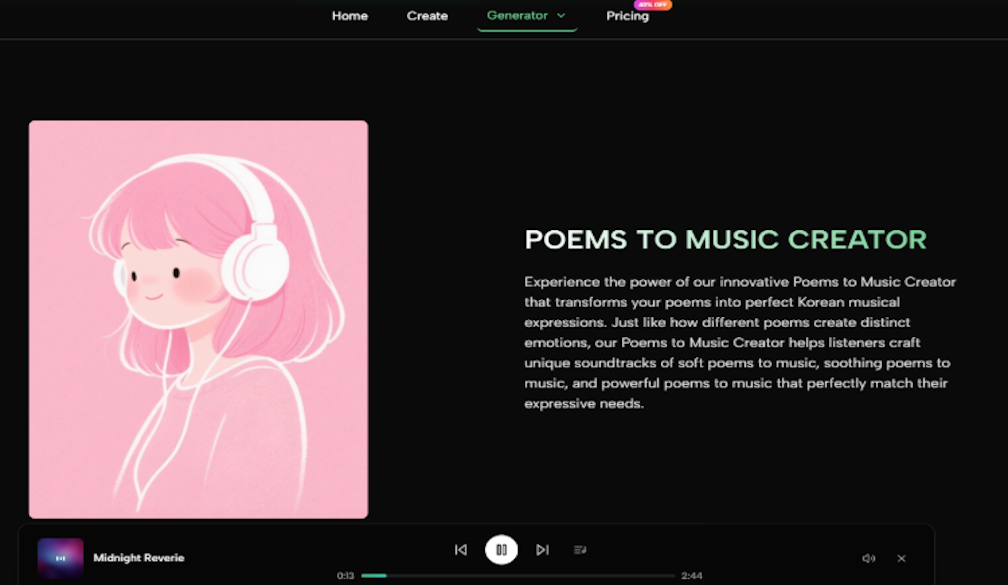
The first thing I wanted to know about any AI Music Generator was not whether it could make the most dramatic demo song in one lucky attempt. I wanted to know whether it felt trustworthy after several ordinary attempts. Many AI music tools look exciting at first, but after a few prompts, small problems become harder to ignore: loud pages, confusing buttons, unclear output flow, slow waiting, and too much visual noise around the actual creative task.
That is why I tested ToMusic AI alongside several familiar AI music platforms, including Suno, Udio, Soundraw, Mubert, Beatoven, and AIVA. I did not treat the comparison as a contest for one perfect song. Instead, I used the same practical mindset a content creator might have before making short video music, a simple lyric-based song, a podcast intro, or background audio for a small commercial project.
The most surprising part of the test was that the “best” tool was not always the one with the most impressive single output. Some platforms can create striking moments, especially when the prompt lands well. But when I repeated similar tasks, the more important question became whether the tool stayed easy to use, whether the page stayed calm, and whether I could understand what to do next without fighting the interface.
That is where ToMusic AI began to feel more balanced as an AI Music Maker. It did not make every result perfect, and I would not describe it as a replacement for human music production. But compared with several busier tools, it felt more focused on letting me enter an idea, choose a generation direction, review the result, and keep moving without unnecessary distractions.
Why Low Friction Matters In AI Music Testing
AI music generation is already uncertain by nature. A prompt can be interpreted differently from what the user intended. A lyric can sound better in one style than another. A vocal direction might feel close but not exact. Because the output itself already requires judgment, the surrounding product experience matters more than people sometimes admit.
In my testing, tools with stronger demo appeal sometimes became less comfortable during repeated use. When a page pushed too many panels, promotions, or unclear choices into the workflow, I spent more energy managing the interface than listening carefully. That is not a small issue. Music decisions require concentration. If the interface keeps pulling attention away, it becomes harder to judge sound quality fairly.
ToMusic AI performed well because its workflow seemed direct enough for repeated testing. The official site presents it as a platform for generating music from text descriptions or lyrics, with simple and custom generation paths. That gave the test a clear structure. I could start with a broad idea, move into more detailed lyric or style direction, and then compare whether the resulting track felt usable.
The Testing Method Behind This Comparison
For each platform, I used practical prompts instead of unrealistic showcase prompts. I tested a short video background cue, a lyric-to-song idea, a calm instrumental direction, and a more energetic promotional track concept. I paid attention to five areas: sound quality, loading speed, ad distraction, update activity, and interface cleanliness.
Why The Same Prompt Was Not Enough
Using the exact same prompt across every tool sounds fair, but it is not always realistic. Some platforms respond better to mood language, while others seem more comfortable with genre tags or structured song direction. So I kept the intent consistent rather than forcing identical wording every time. The goal was to see which platform helped me reach a usable result with the least friction.
Multi Platform Scorecard From Practical Testing
|
Platform |
Sound Quality |
Loading Speed |
Ad Distraction |
Update Activity |
Interface Cleanliness |
Overall Score |
|
ToMusic AI |
8.7 |
8.8 |
9.0 |
8.6 |
9.1 |
8.8 |
|
Suno |
9.0 |
8.2 |
8.1 |
9.0 |
8.0 |
8.5 |
|
Udio |
8.9 |
7.9 |
8.2 |
8.8 |
7.8 |
8.3 |
|
Soundraw |
8.0 |
8.7 |
8.6 |
8.0 |
8.8 |
8.2 |
|
Mubert |
7.8 |
8.8 |
8.3 |
7.9 |
8.4 |
8.1 |
|
Beatoven |
7.9 |
8.5 |
8.4 |
7.8 |
8.5 |
8.0 |
|
AIVA |
8.2 |
7.8 |
8.5 |
7.7 |
8.1 |
8.0 |
This table does not mean ToMusic AI beat every platform in every category. Suno and Udio can feel stronger when a user wants bold vocal experiments or more surprising musical personality. Soundraw and Beatoven can be comfortable for background music planning. AIVA may appeal to users who think in more traditional composition terms.
ToMusic AI ranked first overall because the experience felt more even across the full workflow. It had enough output quality to stay useful, a cleaner working rhythm than several alternatives, and less friction when moving from idea to result. For a creator who needs to repeat the process often, that balance matters.
What ToMusic AI Felt Like During Use
The most useful part of ToMusic AI was not a single feature. It was the way the platform seemed to reduce unnecessary decision fatigue. The official workflow supports creating music from text descriptions, working from lyrics, and describing style, mood, tempo, instruments, vocal direction, or instrumental direction. That is enough control for many real projects without turning the first screen into a production console.
When I entered a simple creative brief, the platform felt suitable for fast ideation. When I moved into a lyric-based test, the custom direction made more sense because I could treat the lyrics as the emotional center of the song. The results still required judgment. Some outputs felt closer to the prompt than others. Some needed another attempt. But the process itself did not feel like it was fighting me.
The Music Library also matters more than it sounds. According to the official site, generated works can be saved to a Music Library for later management, search, and download. That is useful because AI music testing often produces several half-good results before one track feels right. Without a library, those results become difficult to compare.
A Website Flow That Stays Understandable
The official ToMusic AI workflow can be described without adding imaginary production features. It is not presented as a complex digital audio workstation, and I would not frame it that way. It is better understood as a browser-based generation workflow for turning written direction into audio.
How The Confirmed Process Works
- Choose a simple or custom generation path based on how much control the project needs.
- Enter a prompt, lyrics, style, mood, tempo, instruments, vocal direction, or instrumental direction.
- Select an available AI music model when a model choice is needed.
- Generate the result, review it, then save, manage, or download it from the Music Library.
Where This Flow Helps Most
This structure is especially useful when the user has a practical goal instead of a fully composed song in mind. A YouTube creator may need a short emotional cue. A marketer may need a promotional background. A teacher may need music for an educational project. A game creator may want atmosphere for a prototype. In these cases, a clear generation flow can be more valuable than a deeper but more confusing toolset.
The Trade Offs I Noticed Clearly
ToMusic AI is not perfect. I would not claim that every generated track feels polished enough on the first try. AI-generated vocals can still depend heavily on the prompt and lyric structure. Instrumental direction can sometimes need several attempts before the mood feels specific enough. Users who want detailed manual editing, multi-track mixing, or professional mastering should not expect the platform to behave like a full studio application.
The same is true for the comparison platforms. Suno and Udio may be more exciting for users chasing standout vocal ideas. Soundraw or Beatoven may feel more familiar to people who mainly need background music. Mubert may fit quick ambient or generative use cases. AIVA may be more comfortable for structured composition experiments. The right choice depends on what kind of work a creator repeats most often.
Who Should Consider ToMusic AI First
ToMusic AI makes the most sense for creators who care about balance. It is a good fit for users who want to turn text or lyrics into songs, explore vocal or instrumental directions, and keep generated tracks organized for later use. It also suits people who create for short videos, content channels, ads, games, film-style projects, education, or personal experiments.
It may be less ideal for users who want highly technical arrangement control or who enjoy spending a long time inside advanced editing environments. For those users, a specialized production tool may still be necessary after generation.
Why Trust Felt More Important Than Hype
After comparing these tools, I found myself valuing quiet reliability more than dramatic claims. AI music platforms are easy to oversell because the first good result can feel surprising. But a tool becomes more useful when it stays understandable after the fifth attempt, the tenth prompt, and the second round of revisions.
That is why ToMusic AI came out first in this test. It did not win because it seemed perfect. It won because it felt less distracting, more organized, and more repeatable across ordinary creative tasks. For people who need music often, that kind of balance can matter more than one spectacular generation.